Changelog/Vitals 1.10
Vitals 1.10: fan control for your Mac, with fan curves

Quick answer
Vitals 1.10 lets you run your Mac’s fans. Leave them to macOS, set each fan to a speed, or draw a curve that speeds them up as the CPU, GPU, hottest sensor or battery warms. Two rules change the curve for you: Quiet on battery, and Cool while apps you pick work hard. Max runs the fans at full speed for a while. It all sits in a new Fans tab, in the window and the dropdown, and the fans go back to macOS when Vitals quits.
Turn on fan control
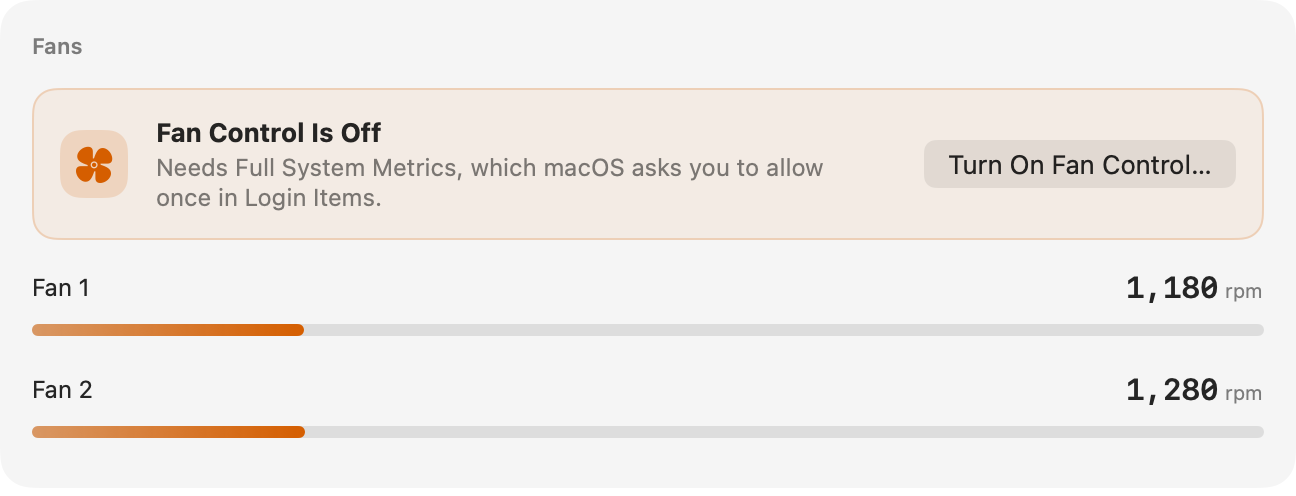
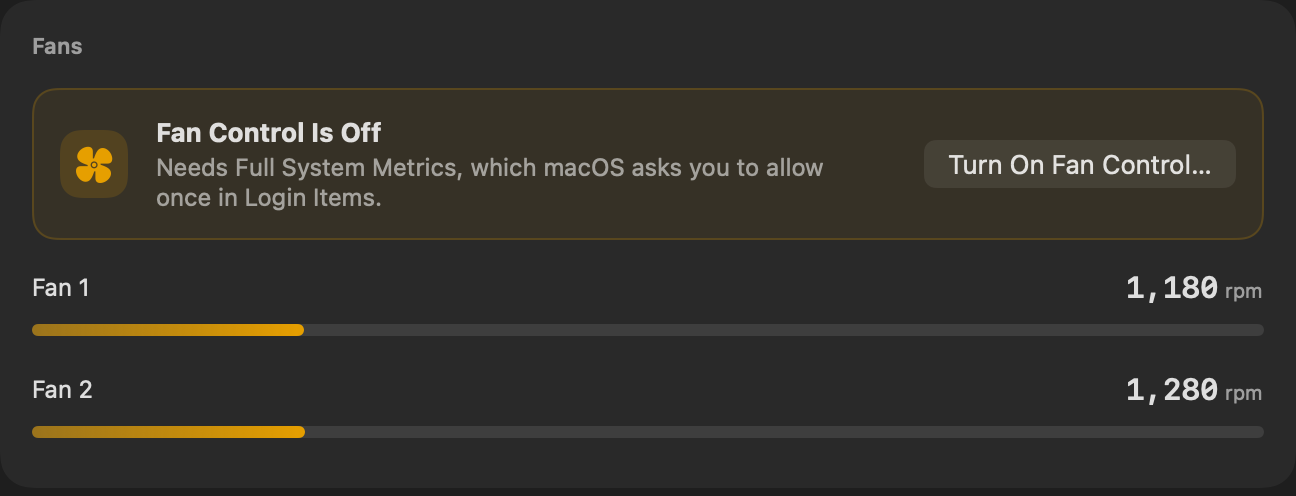
Fan control works through Full System Metrics, the small helper that also reads the processes that belong to macOS. If it is already on, the controls are there. If not, the Fans tab says so in one line.
- 01 Open Vitals and click the Fans tab.
- 02 Click Turn On Fan Control….
- 03 macOS asks once: allow Vitals in System Settings → General → Login Items.
Draw a fan curve
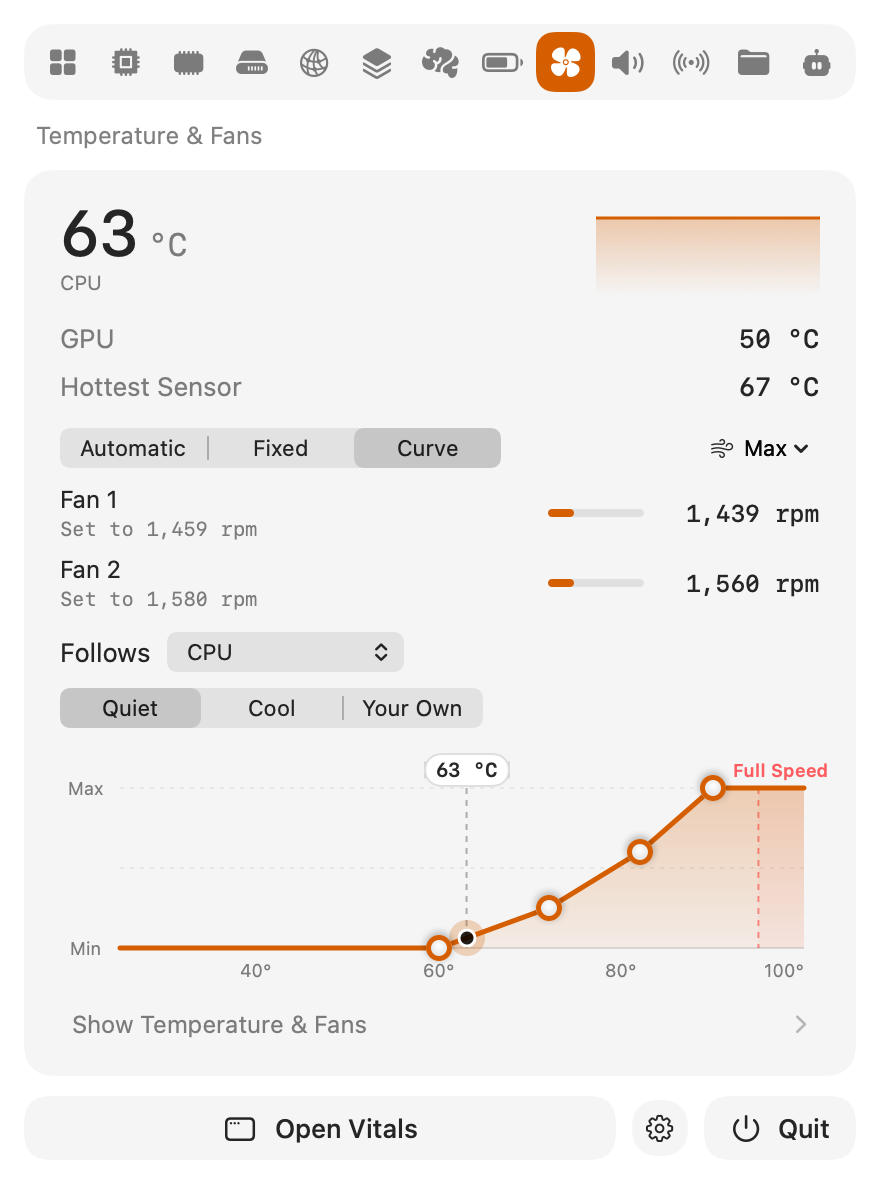
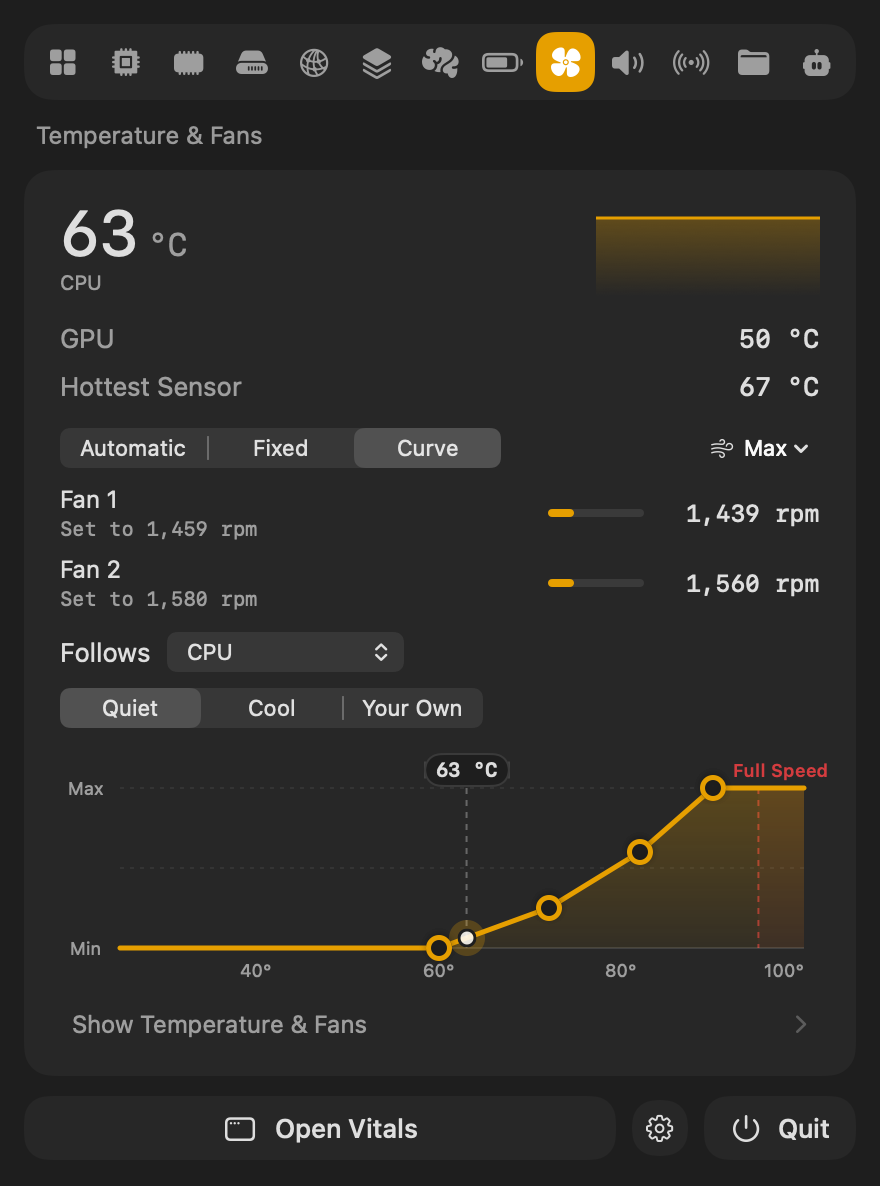
Choose Curve and the fans follow a temperature: slow while the Mac is cool, faster as it warms. The chart shows the curve from the fans’ slowest to their fastest, with a dot where they are now.
- 01 Choose what the fans follow: the CPU, the GPU, the hottest sensor, or the battery on a laptop.
- 02 Start from Quiet, which keeps them at their slowest until 60 °C, or Cool, which moves air from the start.
- 03 Drag any point to change it. The curve becomes Your Own, and the fans follow it as soon as you let go.
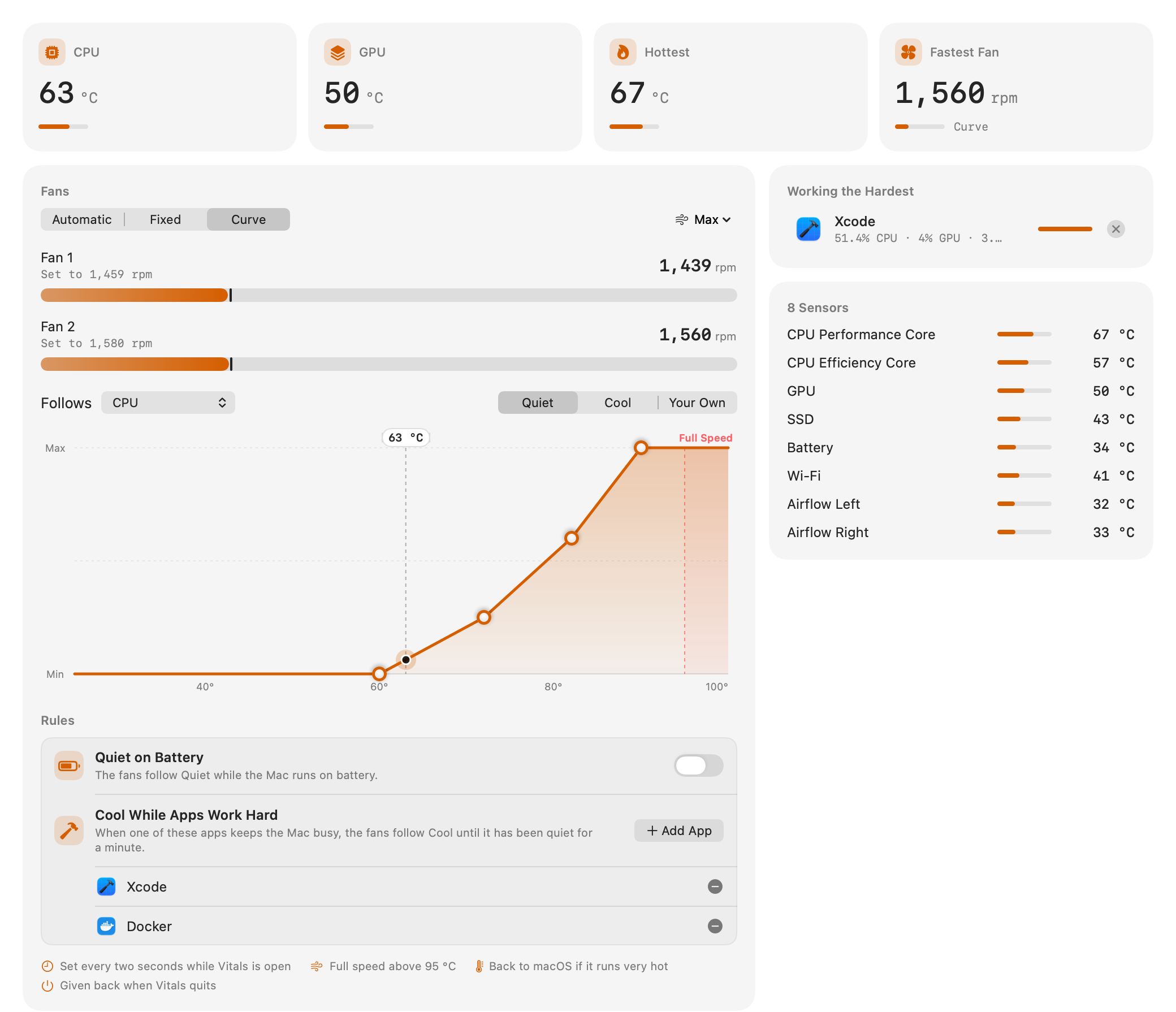
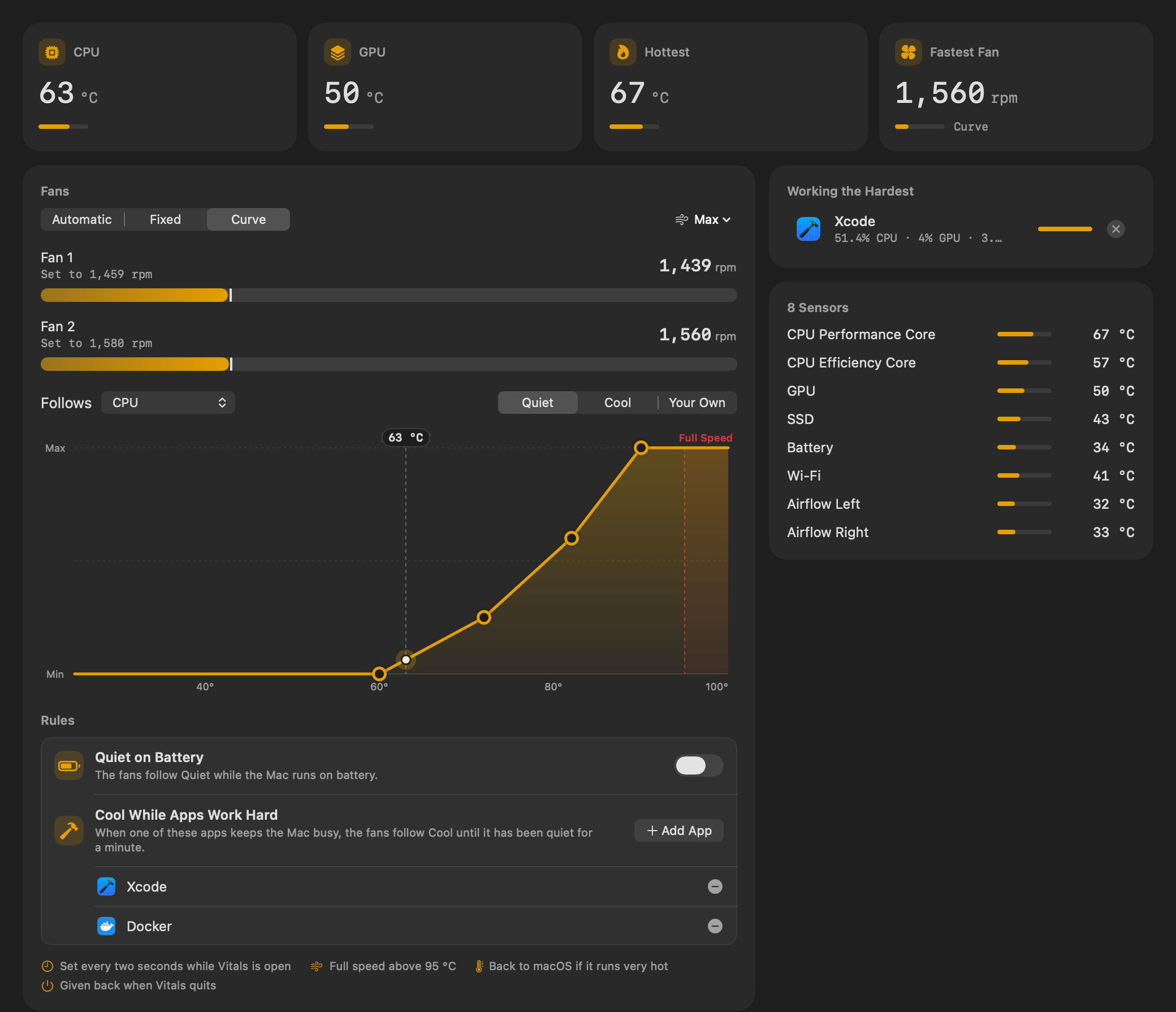
Vitals sets the fans every two seconds while it is open. Above 95 °C they run at full speed whatever the curve says, and if macOS reports the Mac running very hot, Vitals gives the fans back to it.
Set a fan to one speed
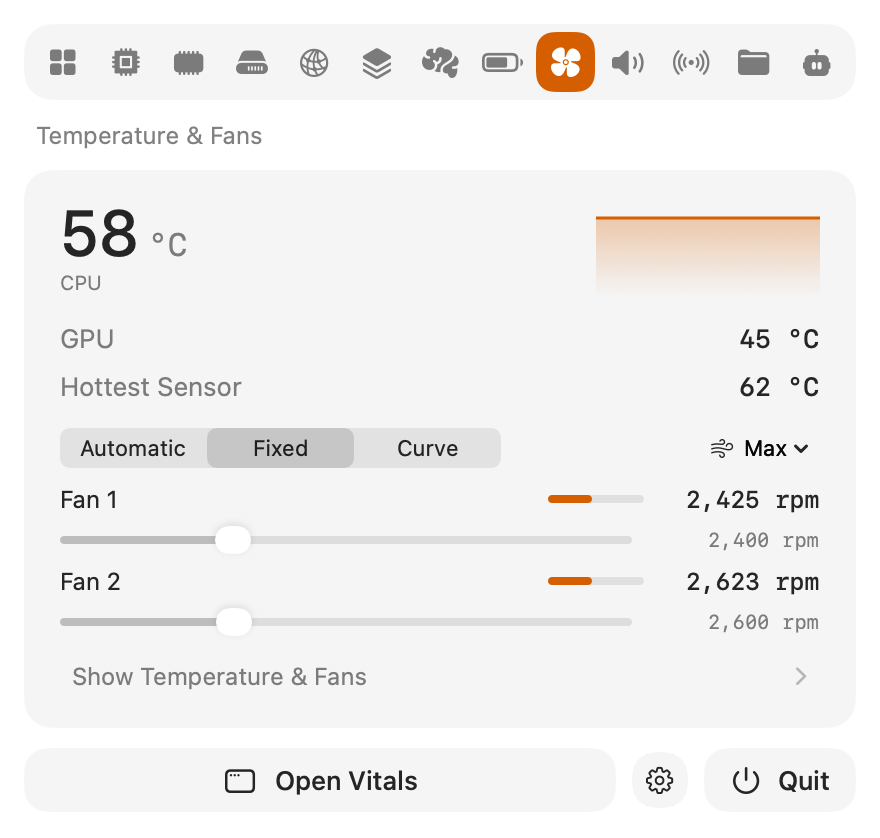
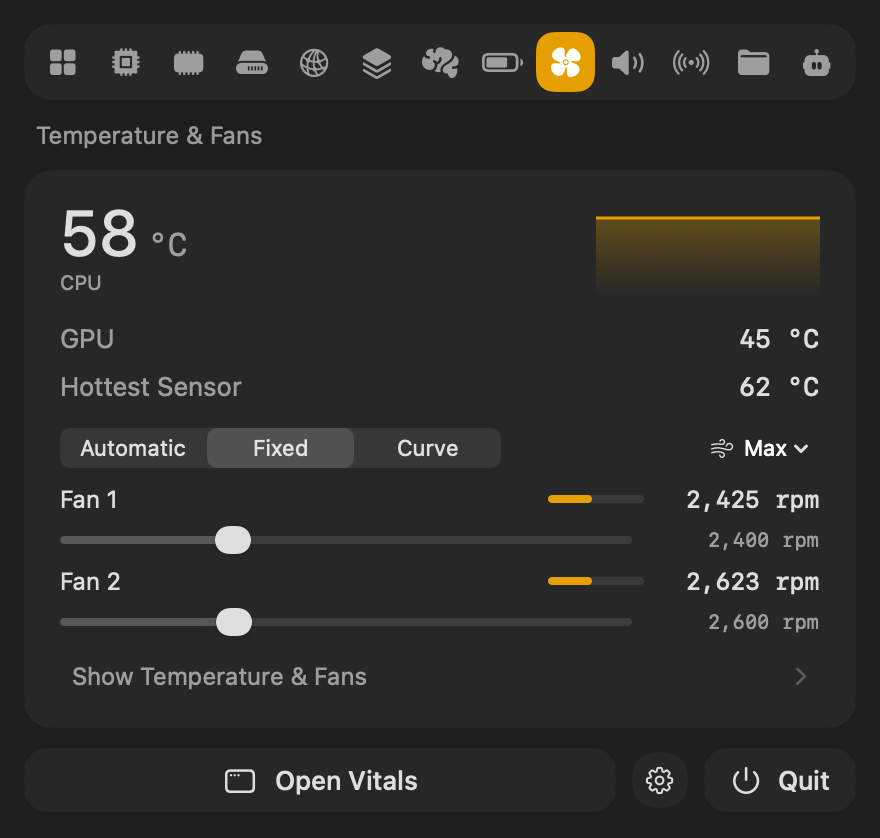
Choose Fixed and each fan gets its own slider. Drag it, and the fan goes to that speed when you let go. The speed stays set through restarts and sleep until you choose Automatic or quit Vitals.
From the menu bar
Everything in the window is in the dropdown too: Automatic, Fixed and Curve, a slider per fan, and the curve with its presets and points to drag. There is no need to open the window to change the fans.
Quiet on battery, Cool while you build
Two rules change the curve for you, and your own curve comes back when they let go.
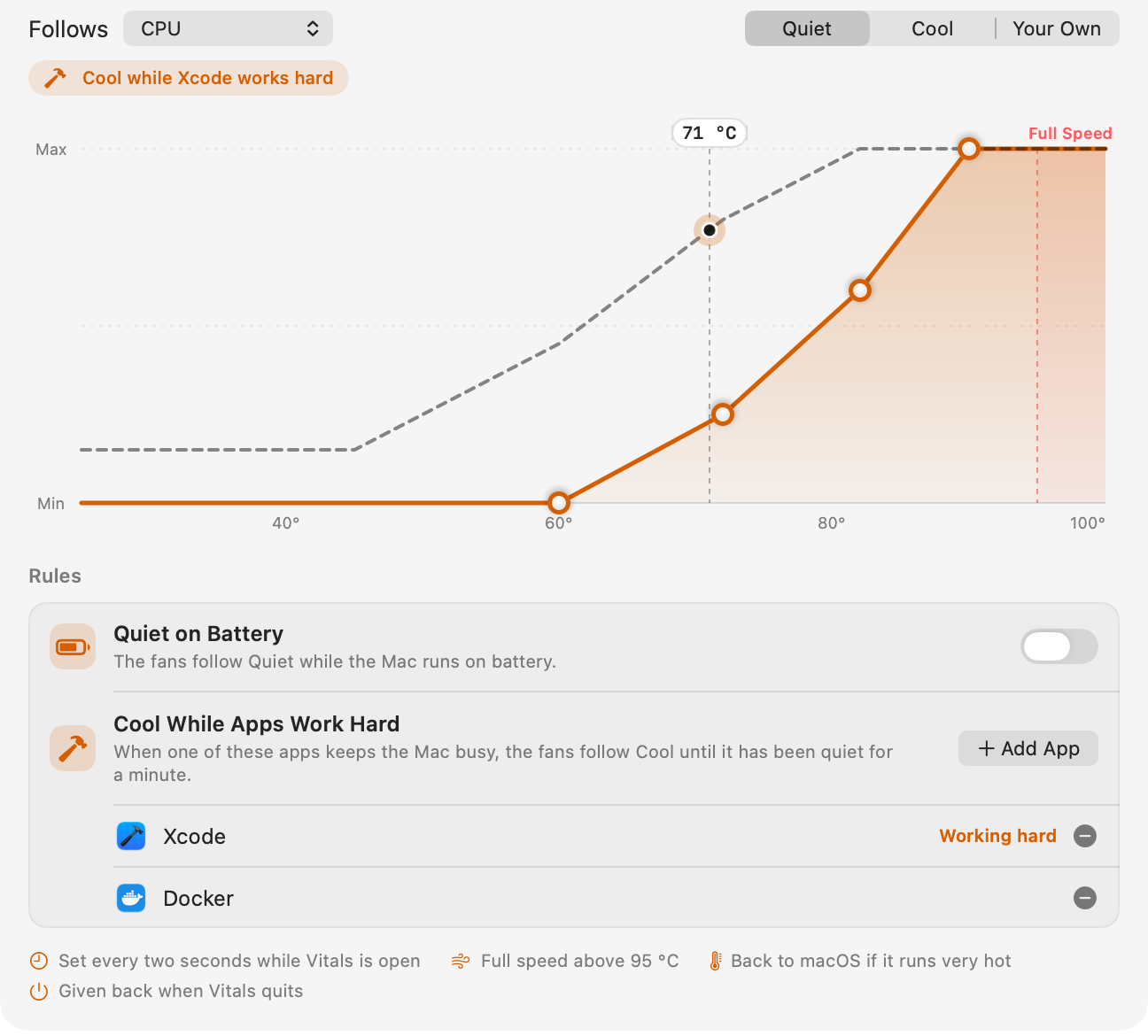
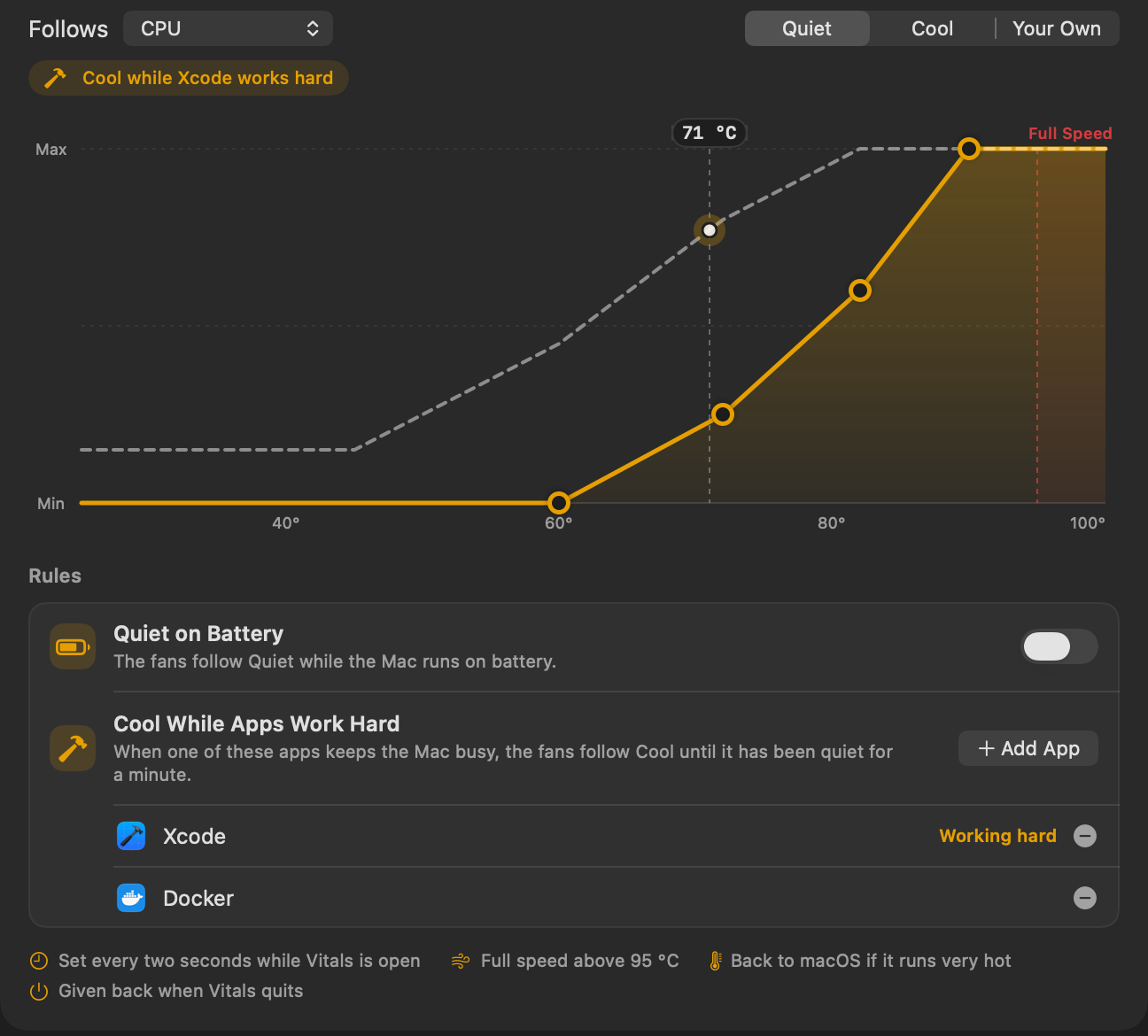
- Quiet on Battery puts the fans on Quiet while the Mac runs on battery.
- Cool While Apps Work Hard puts them on Cool while an app you pick keeps the Mac busy, such as Xcode during a build, and lets go a minute after it calms down. Click Add App to pick one from the apps running now.
The curve in charge is drawn dashed over yours, with a line above the chart that says why.
Full speed for a while
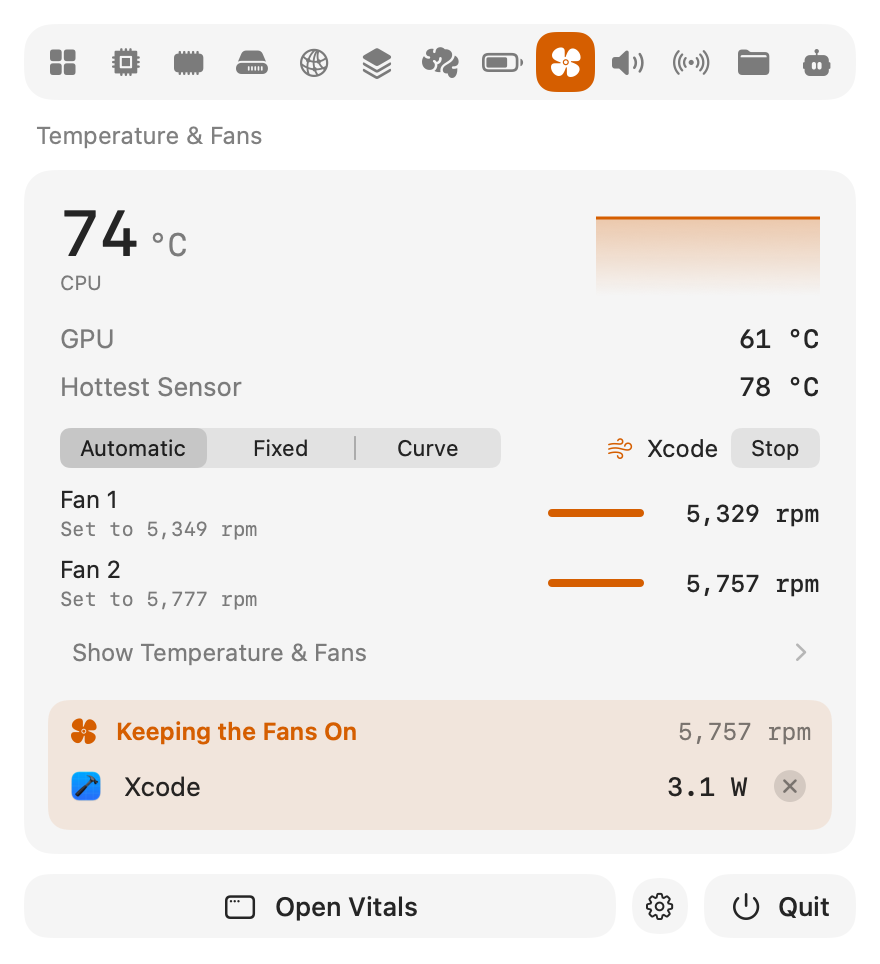
Max runs the fans at full speed for 5, 15 or 30 minutes, before a long build or a render. While an app is working hard, Max can also run until that app has finished. Then the fans go back the way they were. Stop ends it early.
Every sensor, and the last 24 hours
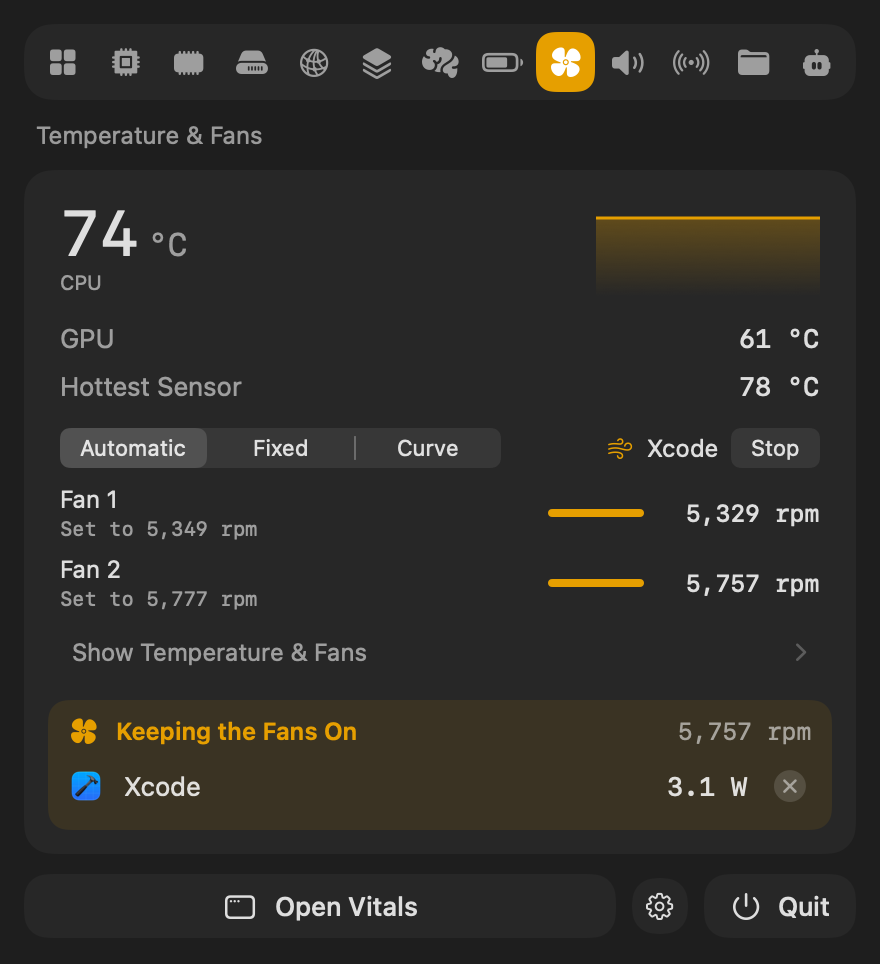
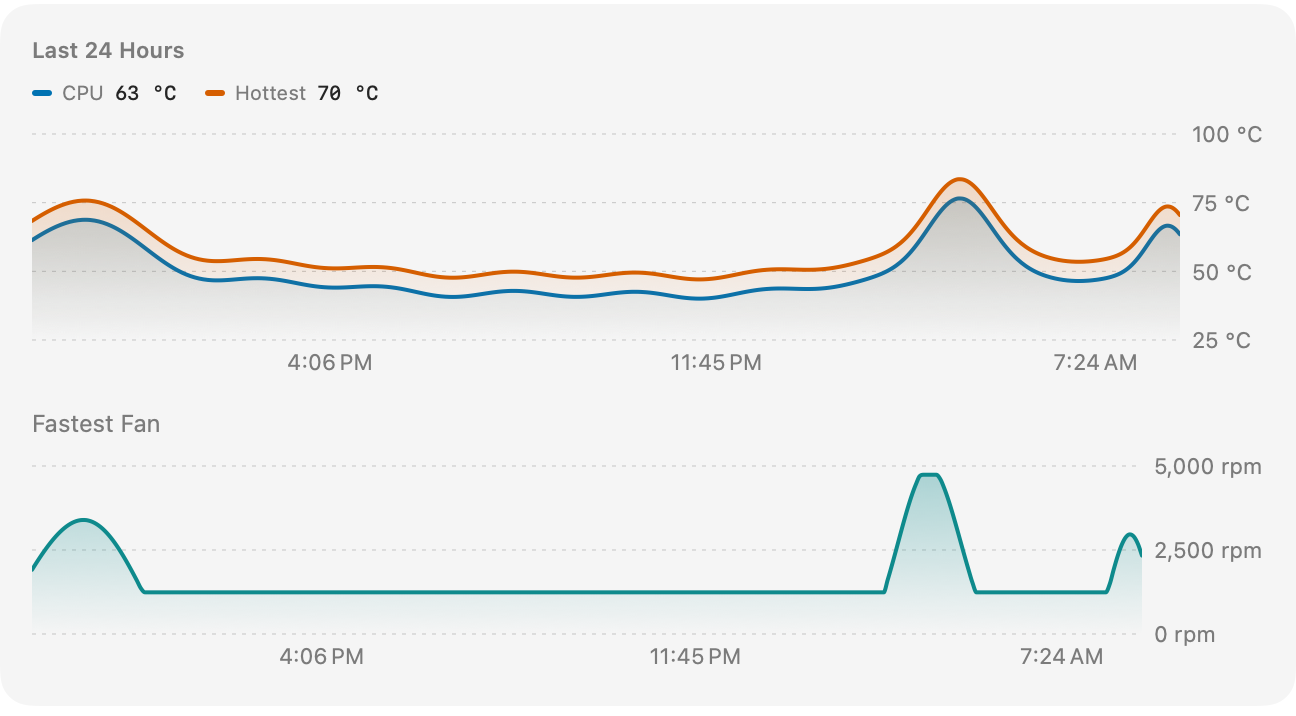
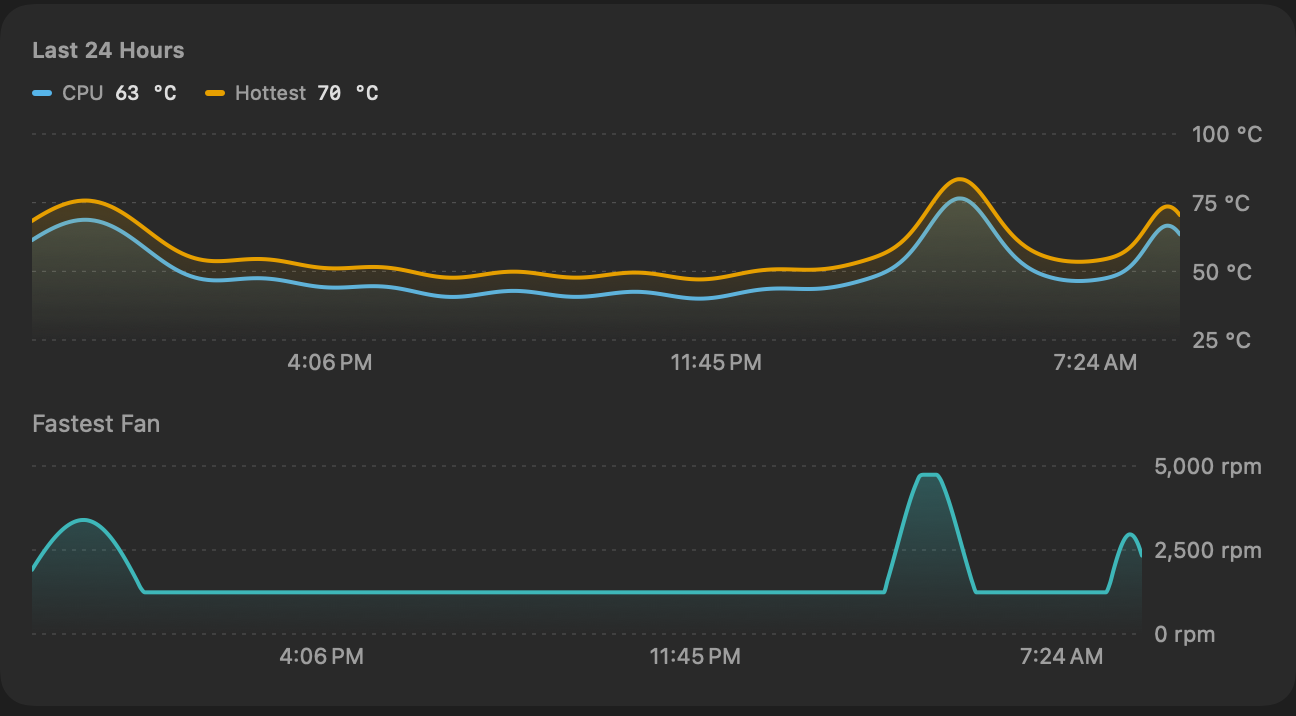
The Fans tab also lists every temperature sensor the Mac reports, the app keeping the fans on with Quit beside it, and the last 24 hours: the CPU and the hottest sensor, and the fastest fan under them, so a fan that was loud this morning has a reason.
From Shortcuts and your AI assistant
Two actions in Shortcuts: Set the Fans leaves the fans to the Mac or puts them on your curve, and Run the Fans at Full Speed runs them for the minutes you choose. Put one before a build in a shortcut, or on a Focus. Claude, Codex and Cursor see how the fans are being run, and why, in system_status.
- Why are my fans so loud right now?
- Are my fans on a curve, and what are they following?
- Which app has been keeping my Mac hot today?
Questions people ask
Is 1.10 a free update?
Yes. In Vitals, choose Check for Updates. Fan control is part of every license.
Is it safe to control the fans?
Vitals keeps each fan within the speeds the Mac allows for it. A curve runs the fans at full speed above 95 °C whatever its shape, gives them back to macOS if it reports the Mac running very hot, and they go back to macOS when Vitals quits.
Which Macs does it work on?
Macs with fans, Apple silicon and Intel. It has been tested on an M2 Max; other Macs use the same controls. If a fan does not follow, write to [email protected]. A MacBook Air has no fans, so its tab is called Temperature and shows the sensors.
What happens when Vitals quits?
The fans go back to macOS straight away. A fixed speed is set again the next time Vitals opens.
Why are the controls greyed out?
Fan control needs Full System Metrics. Click Turn On Fan Control… in the Fans tab and allow Vitals in System Settings → General → Login Items.
Everything in 1.10
Vitals 1.10 is a free update. In Vitals, choose Check for Updates, or download it from vitalsmac.com.
- New Fan curves. In Curve, the fans speed up as a temperature rises: the CPU, the GPU, the hottest sensor or the battery. Start from Quiet or Cool, or drag the points into a curve of your own. Vitals sets the fans every two seconds while it is open, runs them at full speed above 95 °C whatever the curve says, and gives them back to macOS if it reports the Mac running very hot.
- New Rules. Quiet on Battery puts the fans on Quiet while the Mac runs on battery. Cool While Apps Work Hard puts them on Cool while an app you pick keeps the Mac busy, and lets go a minute after it calms down. Your own curve stays as it is and comes back after.
- New Full speed for a while. Max runs the fans at full speed for 5, 15 or 30 minutes, or until an app that is working hard has finished, then puts them back the way they were.
- New A Fans tab. Temperature & Fans is now a tab of its own in the window and the dropdown: the CPU, GPU and hottest sensor, each fan's speed and what it was set to, the app keeping the fans on, every sensor the Mac reports, and the last 24 hours. On a Mac without fans it is called Temperature.
- New Fans in Shortcuts and for AI assistants. Set the Fans and Run the Fans at Full Speed are actions in Shortcuts.
system_statustells an assistant how the fans are being run and why. - Improved Fixed speeds in the dropdown. In Fixed, each fan has its own slider, in the window and in the dropdown.
- Fixed On some Macs a fan set once to a speed went back to its slowest after a moment. The speed now holds.